Inside Git: How It Works and the Role of the .git Folder
"A visual guide to Git’s internal data model and object database"

When we use Git every day, it feels like a set of simple commands:
git add
git commit
git log
But under the hood, Git is doing something surprisingly elegant and mathematical. Instead of “saving files”, Git builds a content-addressed database of objects and connects them in a graph.
To really understand Git (and not just memorize commands), we need to look inside the hidden .git folder.
How Git Works Internally:-
At its core, Git is:
A key–value database
Where the key is a hash
And the value is some piece of project data
Every important thing in Git (a file, a folder, a commit) is stored as an object and identified by a SHA-1 hash like:
e83c5163316f89bfbde7d9ab23ca2e25604af290
This hash is calculated from the content itself.
If the content changes even slightly, the hash changes completely.
This gives Git two superpowers:
Integrity – corruption or tampering is immediately visible.
Deduplication – identical content is stored only once.
Git does not track “file changes” directly.
It stores snapshots of your project, efficiently built from these objects.
Understanding the .git Folder:-
When you run:
git init
Git creates a hidden directory called .git.
This is the entire repository database.
High-level structure
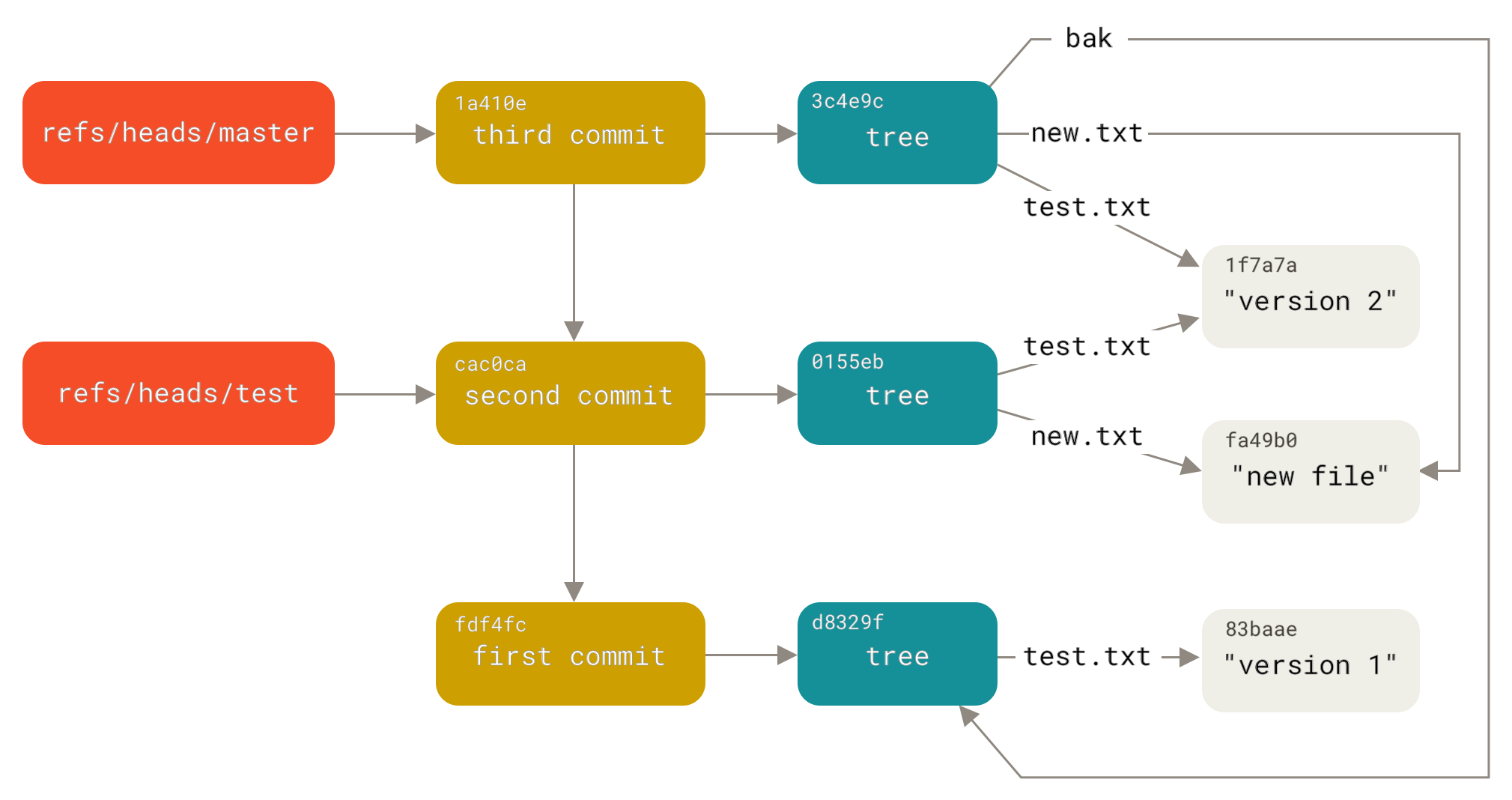
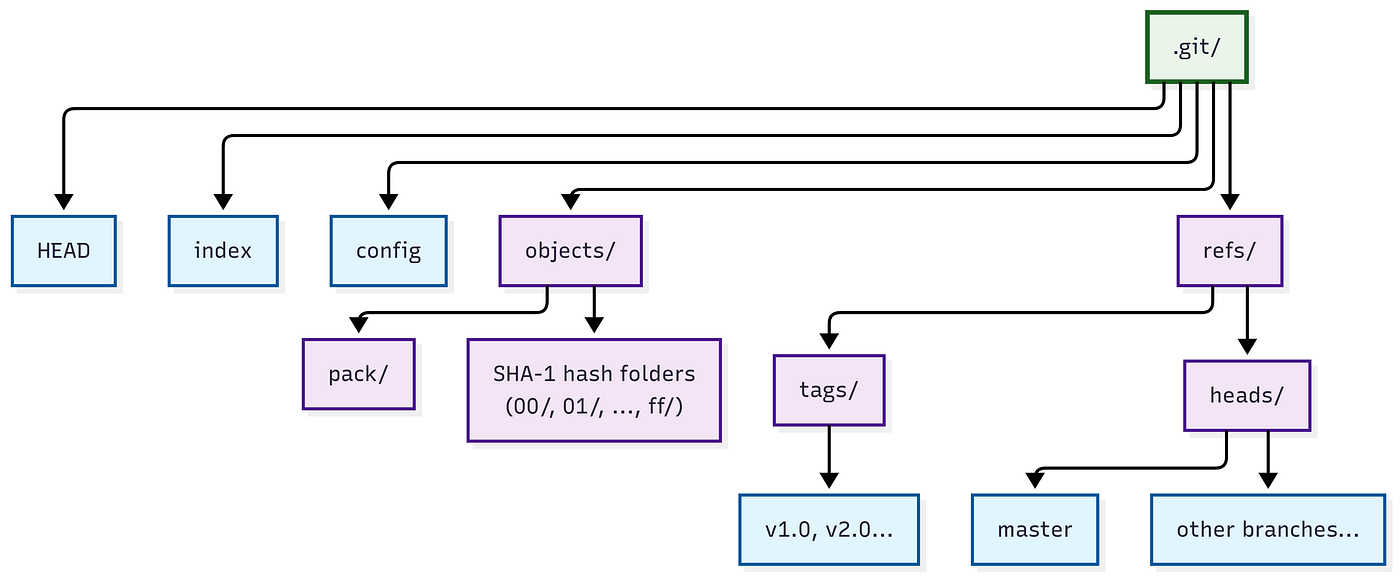
Important parts:
objects/
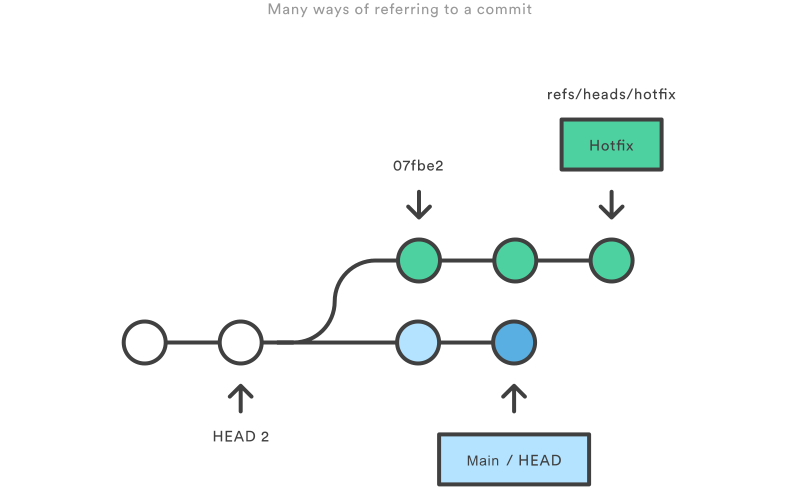
Stores all Git objects (blobs, trees, commits).refs/
Pointers to commits (branches, tags).HEAD
Tells Git which branch/commit you’re currently on.index
The staging area (what you added withgit add).config
Repository-specific settings.
If you delete .git, your project becomes a normal folder again.
All history lives only inside this directory.
Git Objects: Blob, Tree, Commit:-
Git builds everything from just three object types.
Relationship between them
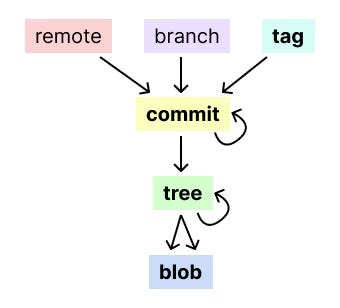


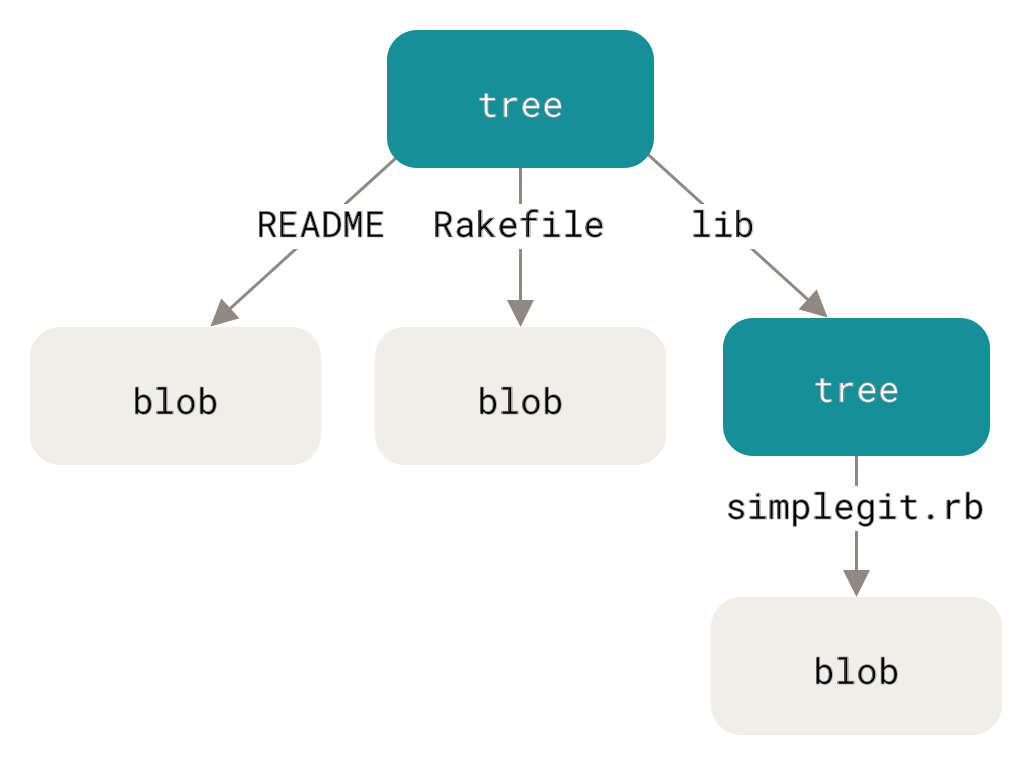
1. Blob (file data)
Stores raw file content
No filename, no metadata
Just bytes
Example: contents of app.js
2. Tree (folder structure)
Represents a directory
Maps names to blobs or other trees
Example:
A tree might say:
app.js  -> blob A
utils/  -> tree B
3. Commit (snapshot + metadata)
A commit stores:
A pointer to one tree (the project snapshot)
Author, date, message
Parent commit(s)
Commits link to previous commits, forming a history chain (actually a graph).
How Git Tracks Changes:-
Git doesn’t store “diffs”.
Each commit points to a full snapshot (tree), but unchanged files reuse existing blobs.
So if only one file changes:
New blob for that file
New trees for folders on the path
New commit pointing to the new root tree
Everything else is reused
This makes commits cheap and fast.
What Happens During git add :-
git add file.txt does:
Read the file content
Create a blob object
Store it in
.git/objects/Record its hash in the index (staging area)
It does not create a commit yet.
Think of the index as:
“Here is exactly what the next snapshot should contain.”
What Happens During git commit :-
Internal flow:
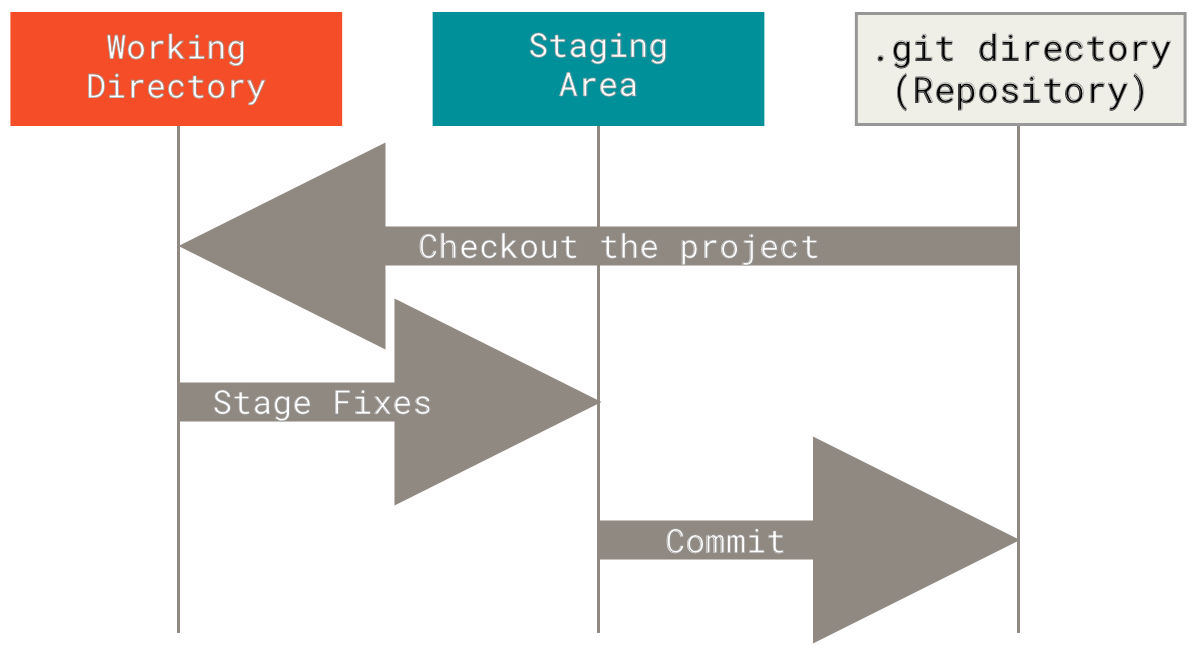

Steps:
Git reads the index
Builds tree objects to represent folders
Creates a commit object pointing to the top tree
Updates the current branch reference to this new commit
No files are copied around.
Only small objects and hashes are written.
How Git Uses Hashes to Ensure Integrity:-
Each object is stored as:
hash = SHA1(type + size + content)
Because the hash depends on the content:
Changing content ⇒ new hash
Changing a tree changes its hash
That changes the commit hash
So every commit hash indirectly contains the entire project state.
If any historical data is modified, the hashes no longer match and Git detects it immediately.
This is why Git history is effectively tamper-proof.
Building the Right Mental Model:-
Instead of thinking:
“Git saves file versions”
Think:
“Git stores content objects and connects them with hashes.”
Blobs = file contents
Trees = directory structure
Commits = named snapshots pointing to trees
Branches = movable labels pointing to commits
git add → put content into the object database and stage itgit commit → create a new snapshot that points to that content
Everything lives inside .git, and everything is connected by hashes.


