Getting Started with cURL
A beginner-friendly guide to sending web requests from your terminal

Before we talk about cURL, let’s understand one simple idea.
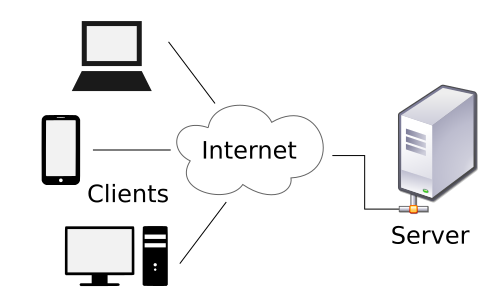
When we open a website, your computer is actually talking to another computer somewhere on the internet.
That other computer is called a server.
Your computer sends a message like:
“Hey server, please send me this webpage.”
The server replies with:
“Sure, here is the data.”
Usually your browser (Chrome, Firefox, etc.) does this talking for you.
But sometimes, as a programmer, you want to talk to the server directly, without a browser.
That’s where cURL comes in.
What is cURL?
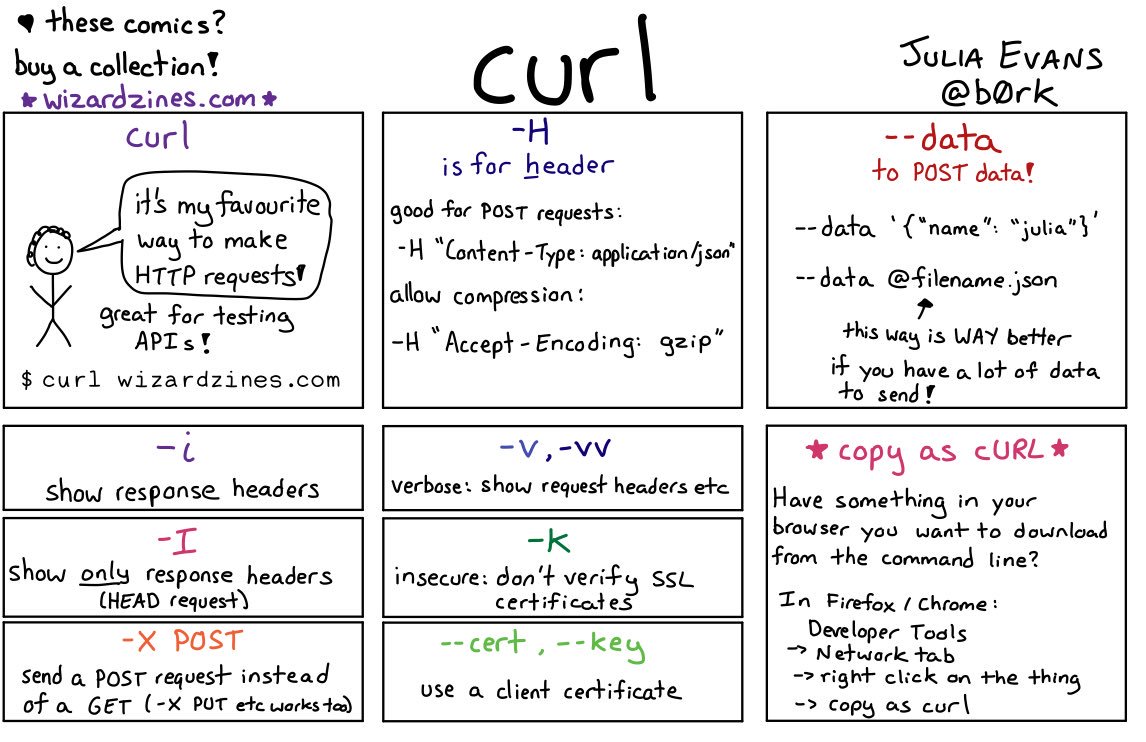
cURL is a command line tool that lets you send messages to a server and see its reply.
A way to make web requests from your terminal instead of your browser.
You type a command, hit Enter, and cURL contacts the server and prints the response right in your terminal.
Why programmers need cURL
Programmers use cURL to:
Test APIs
Check if a server is working
Fetch data without opening a browser
Send data to a backend service
Debug network problems
In backend development, many things happen without a visual webpage.
cURL lets you see and test those invisible conversations.
Making your first request using cURL
The simplest possible command:
curl https://example.com
What happens?
cURL sends a request to
example.comThe server replies with the webpage data
cURL prints that data in your terminal
No buttons. No browser. Just raw server response.
Understanding request and response:-
When you use cURL, two things always happen:
You send a request
You receive a response

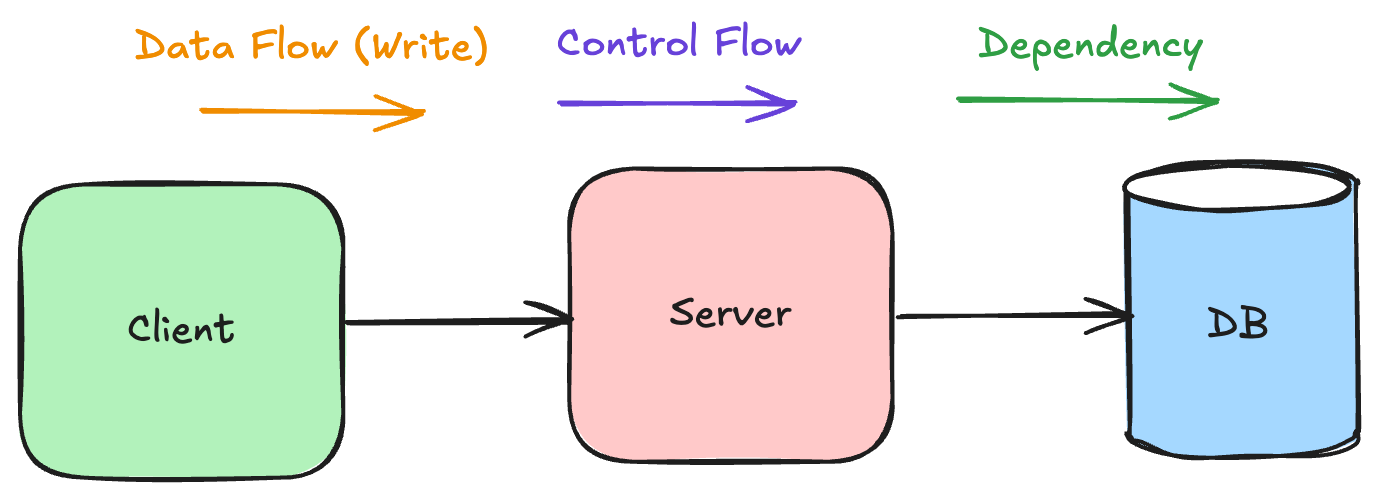
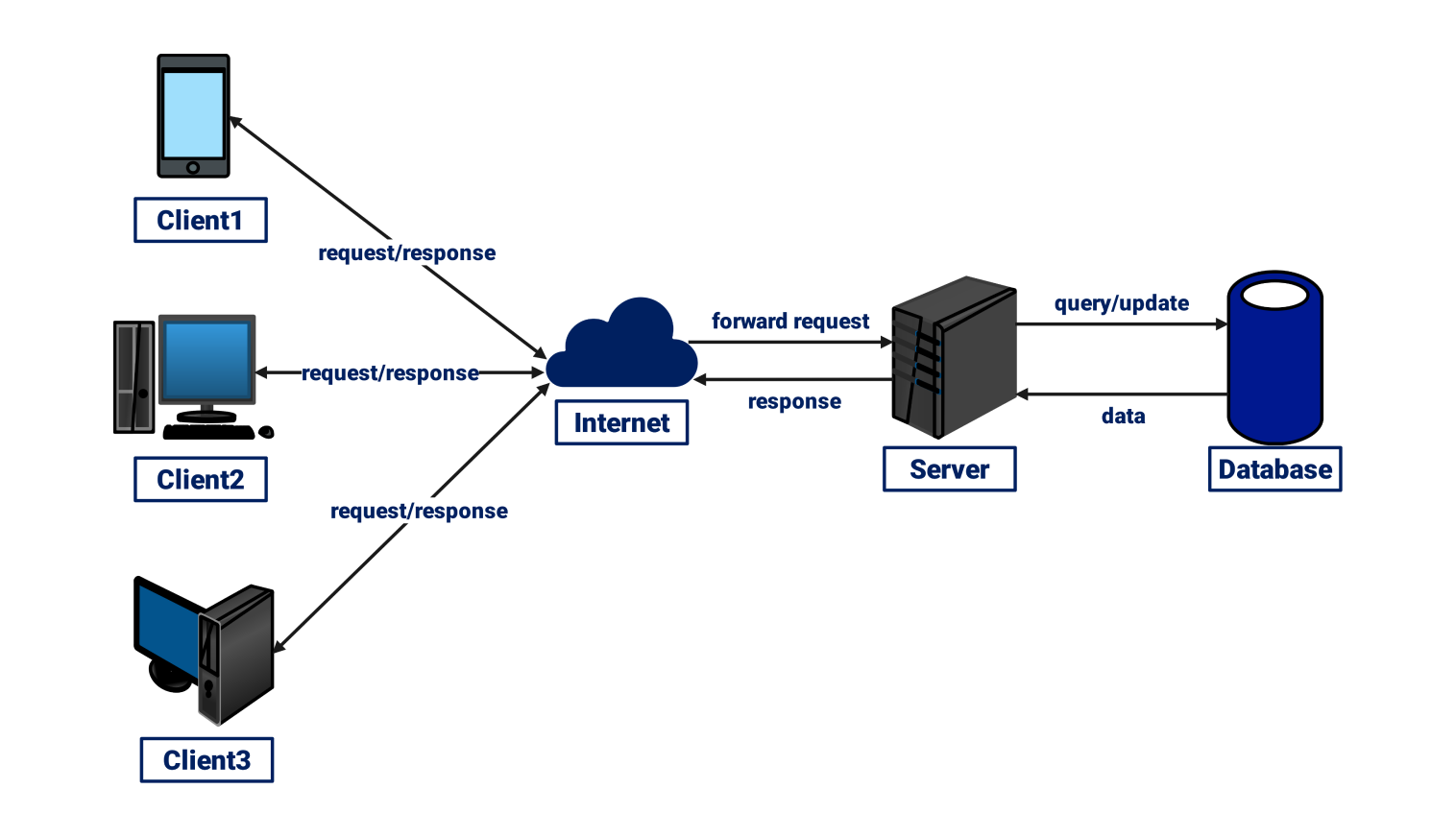
The response usually has two main parts:
Status
Example:200 OKThis means: “Everything worked fine.”
Data returned
This could be:HTML of a webpage
JSON from an API
Plain text
By default, cURL shows you the data.
(We keep status details simple for now to avoid overload.)
Browser request vs cURL request
Your browser secretly does something very similar to cURL.

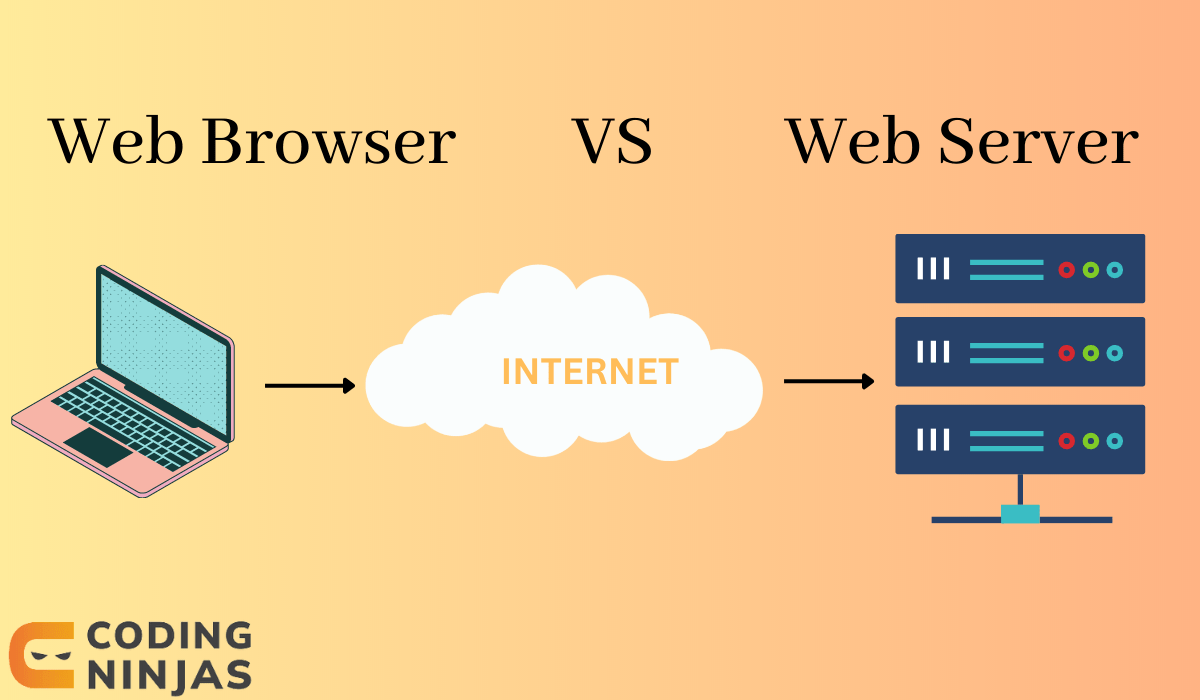
Browser: sends request → shows a beautiful webpage
cURL: sends request → shows raw data in the terminal
Same server. Same internet. Different display.
Using cURL to talk to APIs
APIs are servers that return data instead of full webpages.
Example:
curl https://api.github.com
You’ll see a block of JSON text.
That is the server talking back with structured data.
This is how backend services, mobile apps, and other servers talk to each other.
GET and POST (only what you need to start)
There are many request types, but beginners only need two:
GET (default)
Used to get data from a server.
curl https://example.com
This is a GET request.
POST
Used to send data to a server.
curl -X POST https://example.com
For now, just remember:
GET = “Give me something”
POST = “Here, take this”
(Don’t worry about extra options yet.)
Basic HTTP request and response structure
Behind the scenes, the conversation looks like this:
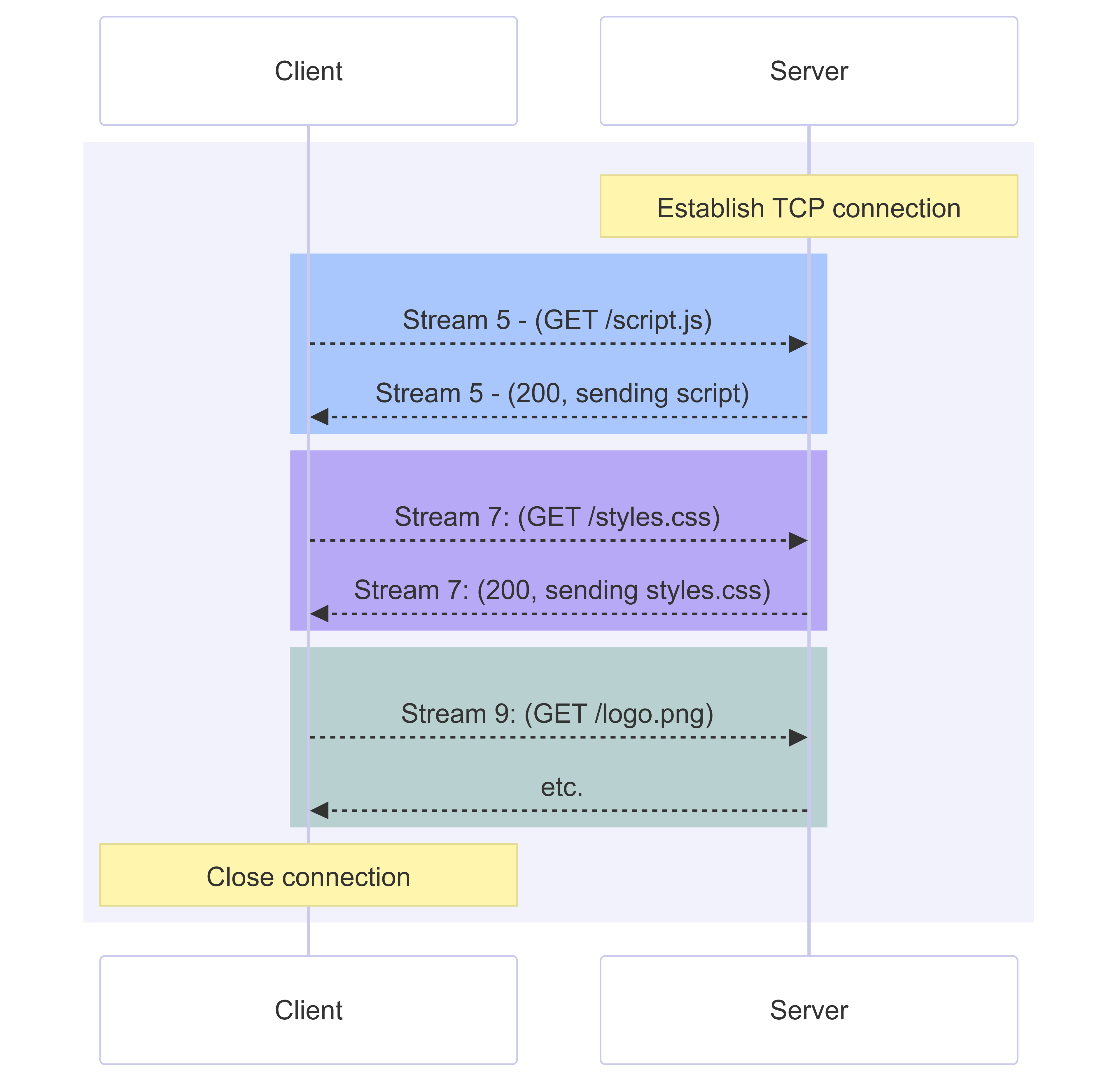
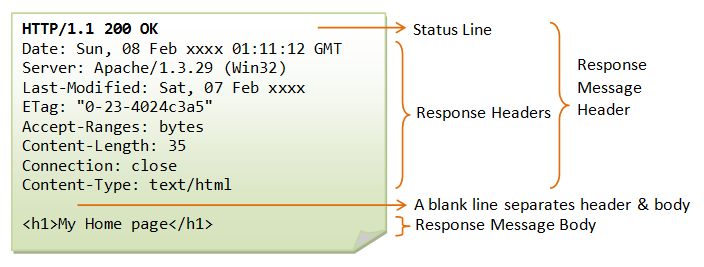
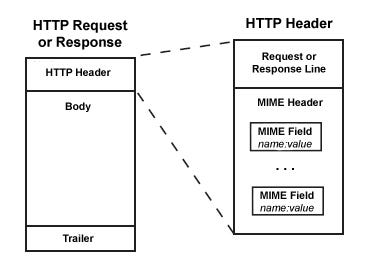

Request (simplified):
GET / HTTP/1.1
Host: example.com
Response (simplified):
HTTP/1.1 200 OK
Content-Type: text/html

<html>...</html>
cURL lets you trigger this exchange manually.
Where cURL fits in backend development

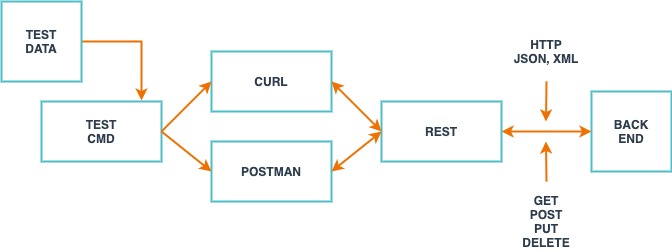

When building a backend API, you often:
Write server code
Start the server
Use cURL to test endpoints quickly
It’s faster than building a UI just to check if your server works.
Common mistakes beginners make with cURL
Forgetting the full URL
 curl example.com   ❌
 curl https://example.com   ✅
Expecting pretty output
cURL shows raw data, not styled webpages.Using too many options too early
Start simple. Master basic GET first.Thinking something is broken because output looks messy
Messy JSON or HTML is normal. It means it worked.
Build confidence before going deep
Start with:
curl https://example.com
Then try an API:
curl https://api.github.com
Understand:
You sent a request
The server sent a response
You saw the raw result
That’s the core idea of cURL.


