DNS Record Types Explained
“A beginner-friendly guide to how the internet finds your website.”

How does a browser know where a website lives?
When we type a website name like example.com into our browser, our computer somehow finds the exact server on the internet that hosts that website.
But computers don’t understand names like humans do.
They understand numbers called IP addresses (like 142.250.183.14).
So there must be a system that translates names into numbers.
That system is called DNS.
What is DNS?
Think of DNS as the phonebook of the internet.
You know the name of a person (a domain like
example.com)But to call them, you need their phone number (an IP address)
DNS looks up the name and gives your browser the correct number.
Why DNS Records Are Needed:-
A domain is like a contact card.
DNS records are the different fields on that card:
Who manages this domain?
What is its IP address?
Where should emails go?
Are there any aliases?
Each type of DNS record solves a specific problem.
Let’s look at them one by one.
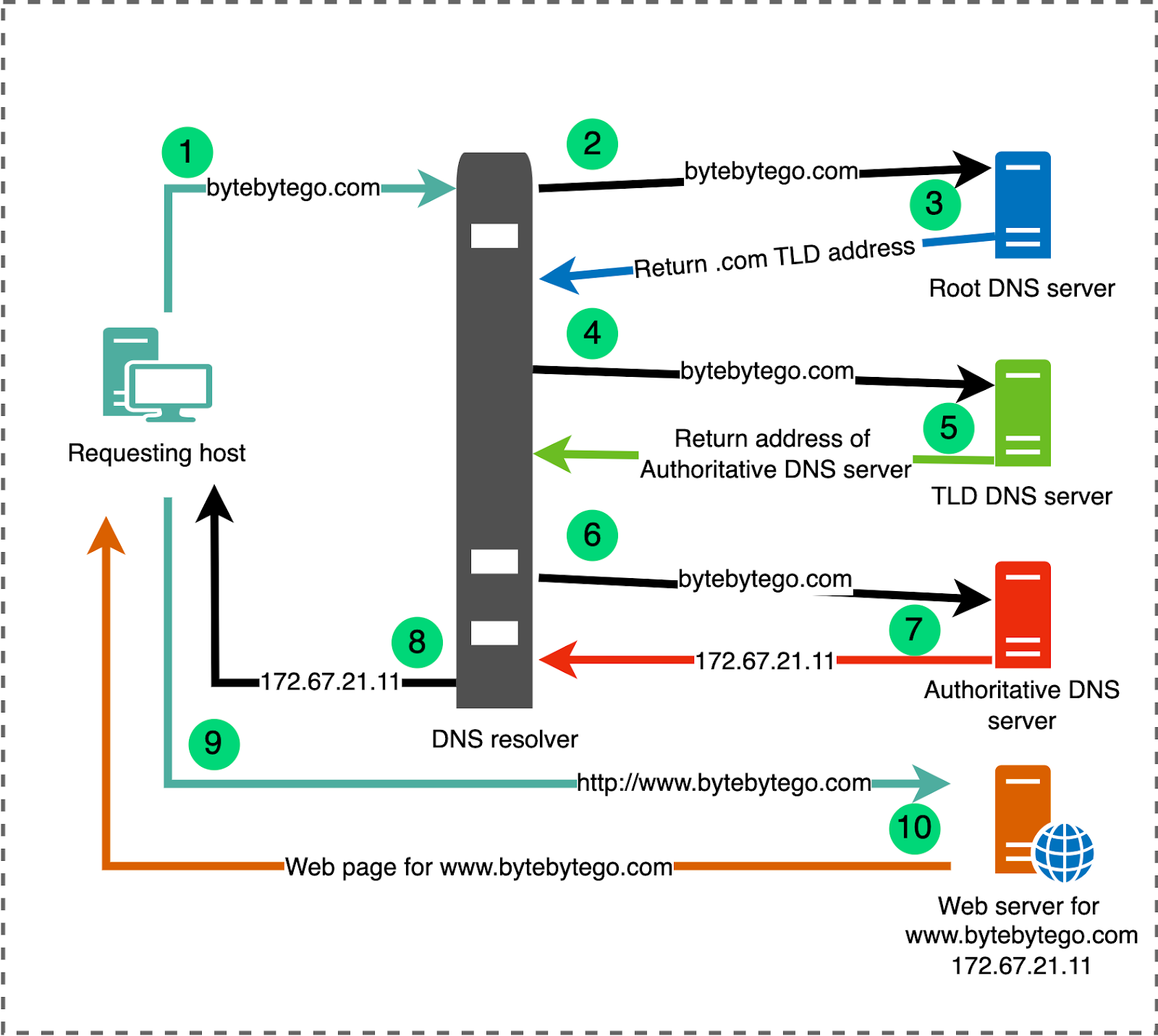
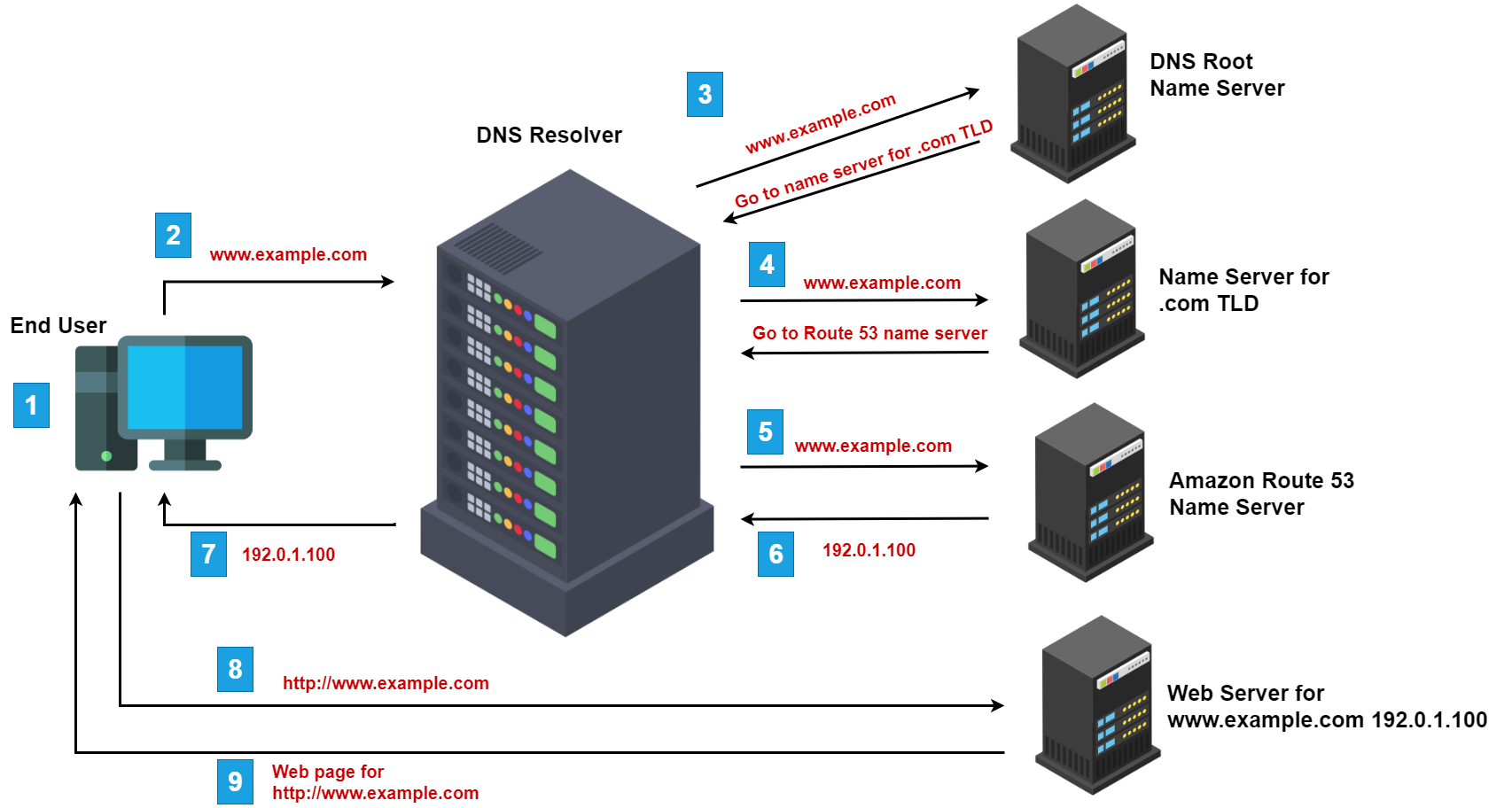
The Big Picture: What Happens When You Visit a Website:-
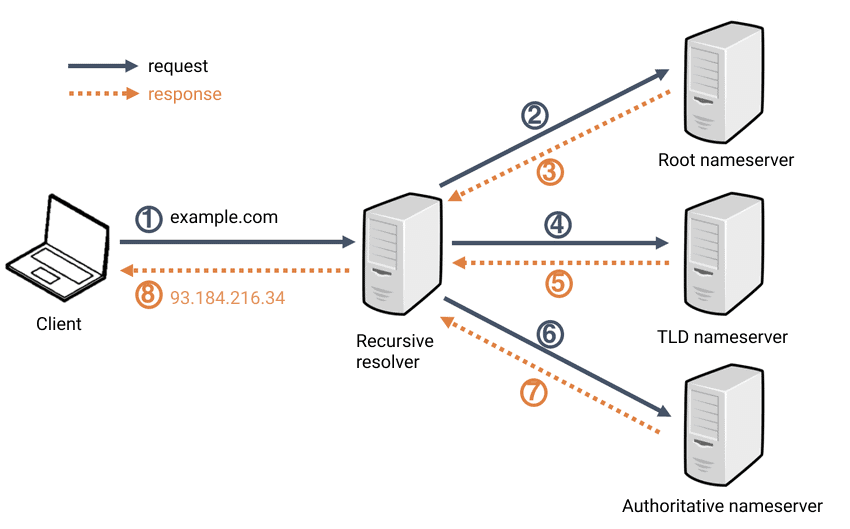
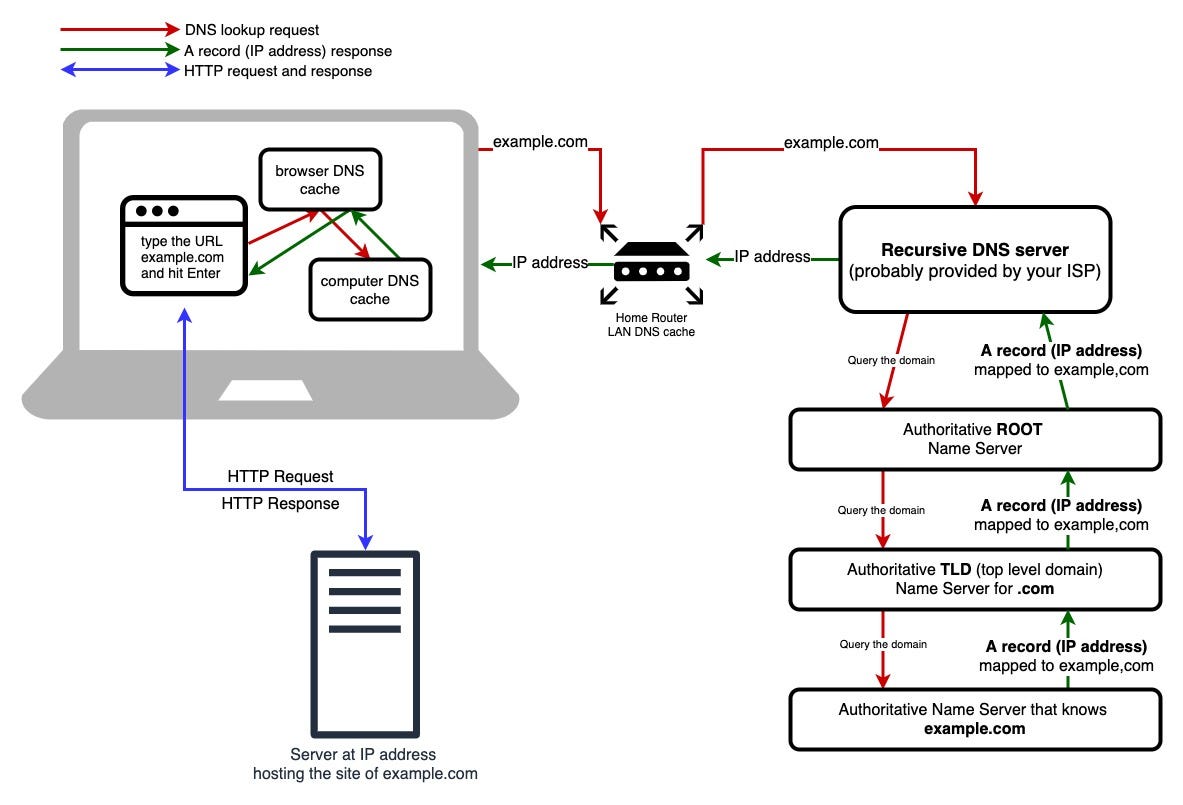
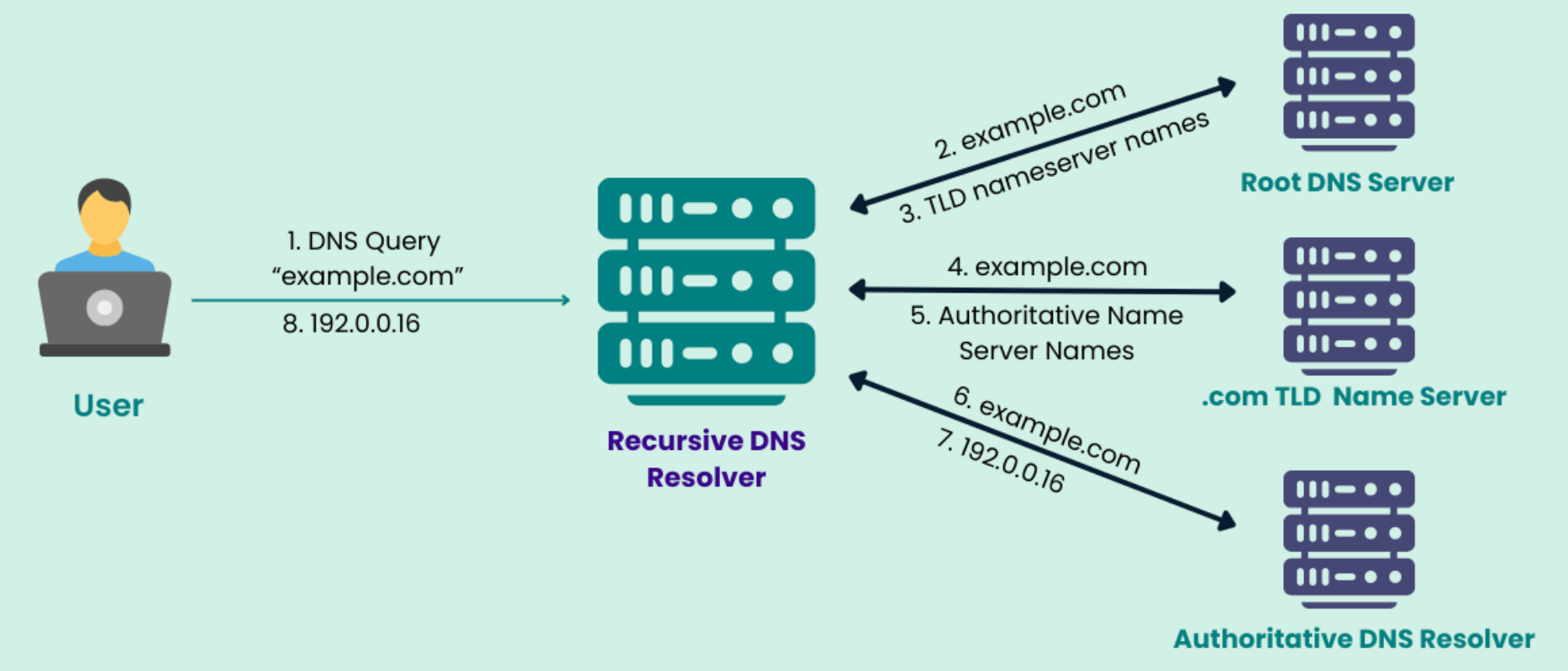

You type a domain in the browser.
Your computer asks DNS servers: “What is the IP address for this name?”
DNS replies with the IP address.
Your browser connects to that server using the IP.
Now let’s see which records make this possible.
NS Record – Who Is Responsible for This Domain?
NS = Name Server
This record says:
“These servers are in charge of answering questions about this domain.”
It’s like saying:
“Go to this specific post office for all mail related to this address.”
Without NS records, nobody knows where to ask for the rest of the information.
A Record – Domain → IPv4 Address:-
An A record gives the main address of your website.
Example:
example.com → 192.0.2.1
This is like a house address:
Name: example.com
Location: 192.0.2.1
When your browser gets this, it goes straight to that server.
AAAA Record – Domain → IPv6 Address:-
Same idea as an A record, but for newer, longer IPv6 addresses.
Example:
example.com → 2001:db8::1
Think of this as a modern, expanded address format for the future internet.
Your device will use A or AAAA depending on what it supports.
A vs AAAA Mapping:-

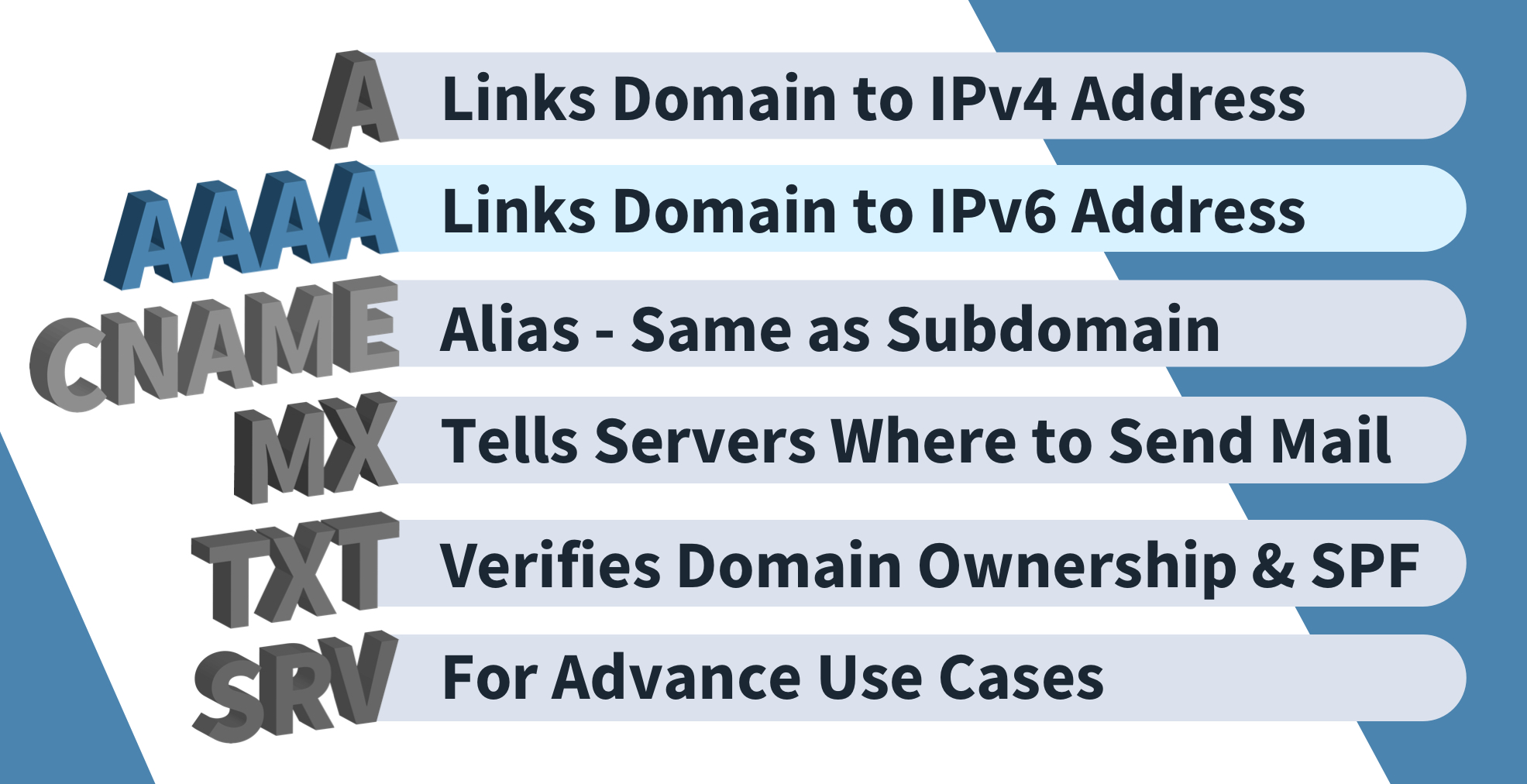

Same domain name, two possible kinds of numeric addresses.
CNAME Record – One Name Pointing to Another Name:-
CNAME = Canonical Name
Instead of pointing to an IP, it points to another domain name.
Example:
www.example.com → example.com
This means:
“If someone asks for
www.example.com, use whateverexample.comuses.”
It’s like a nickname:
Real name: John Smith
Nickname: Johnny
Mail sent to Johnny still goes to John Smith.
Beginner confusion: A vs CNAME
A record → points to a number (IP)
CNAME → points to another name
You can chain names with CNAME, but eventually there must be an A or AAAA at the end.
CNAME Example:-
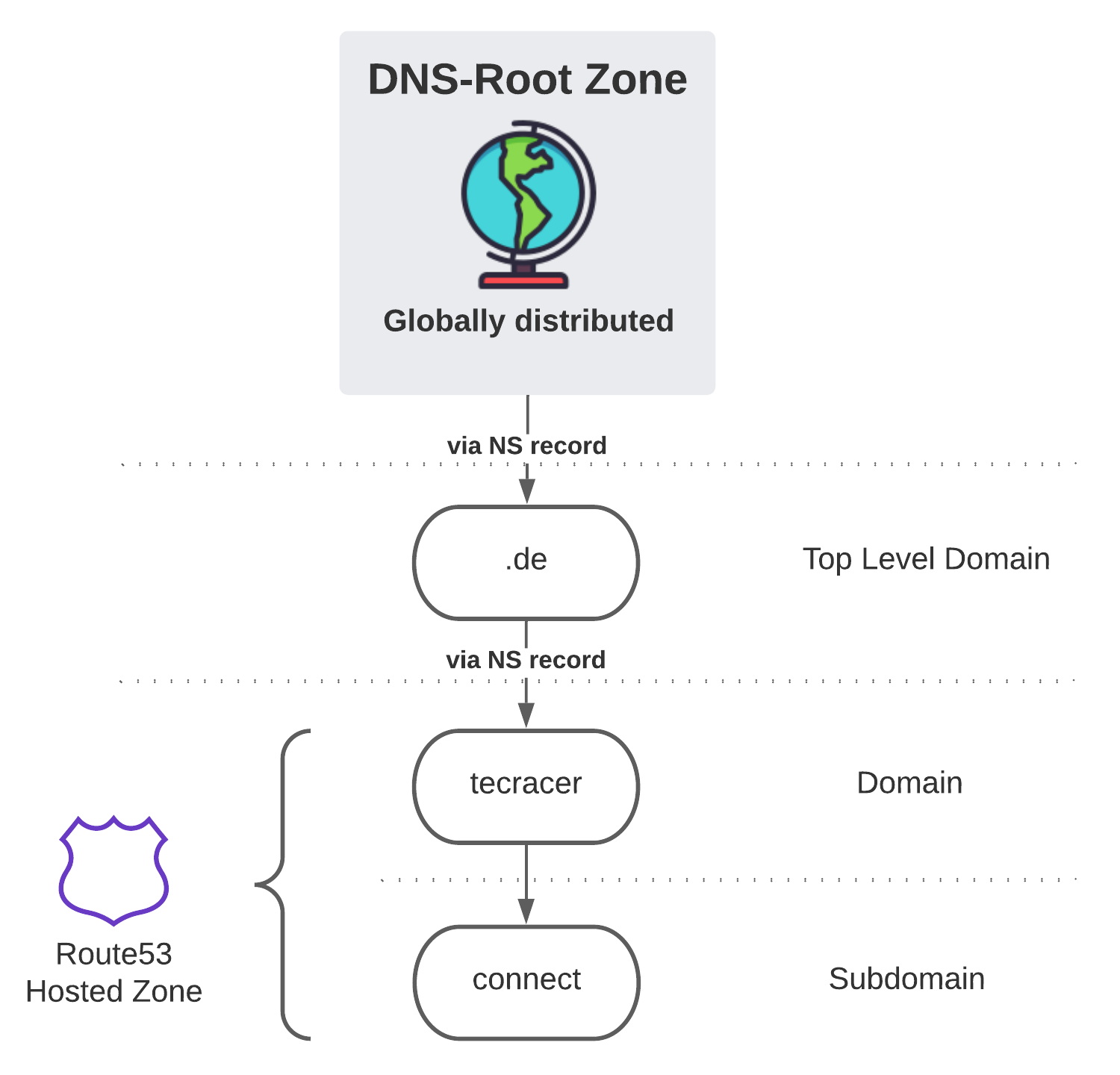
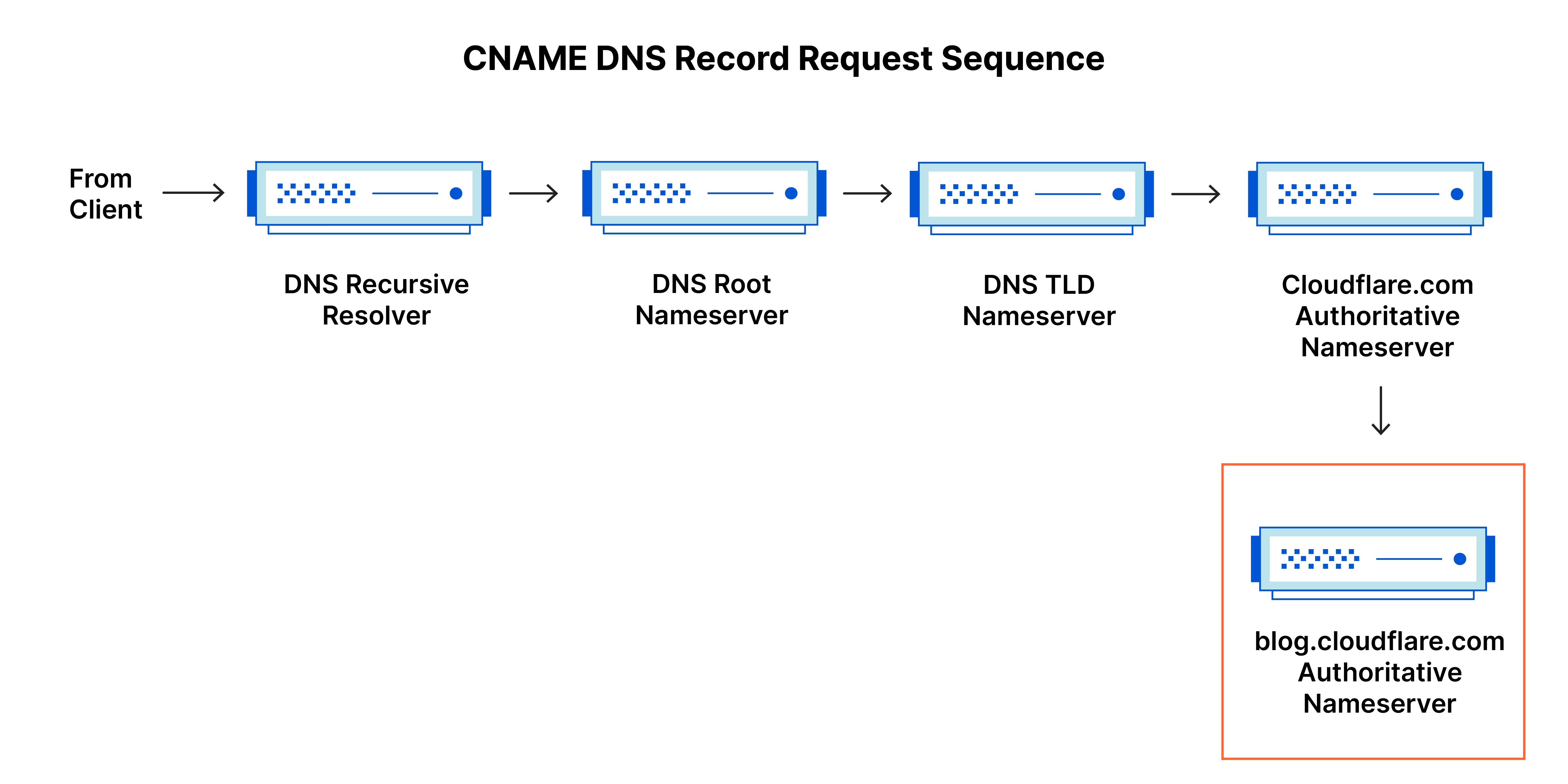
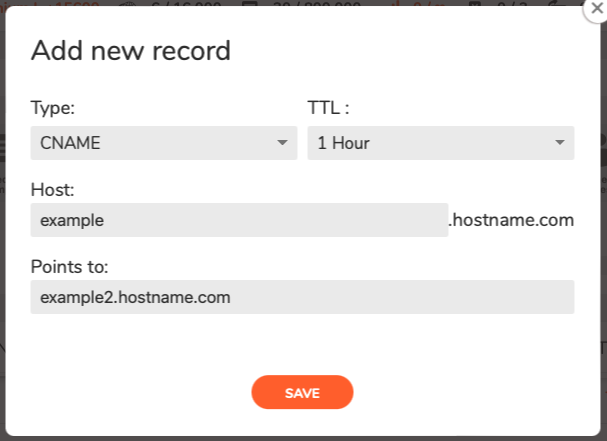
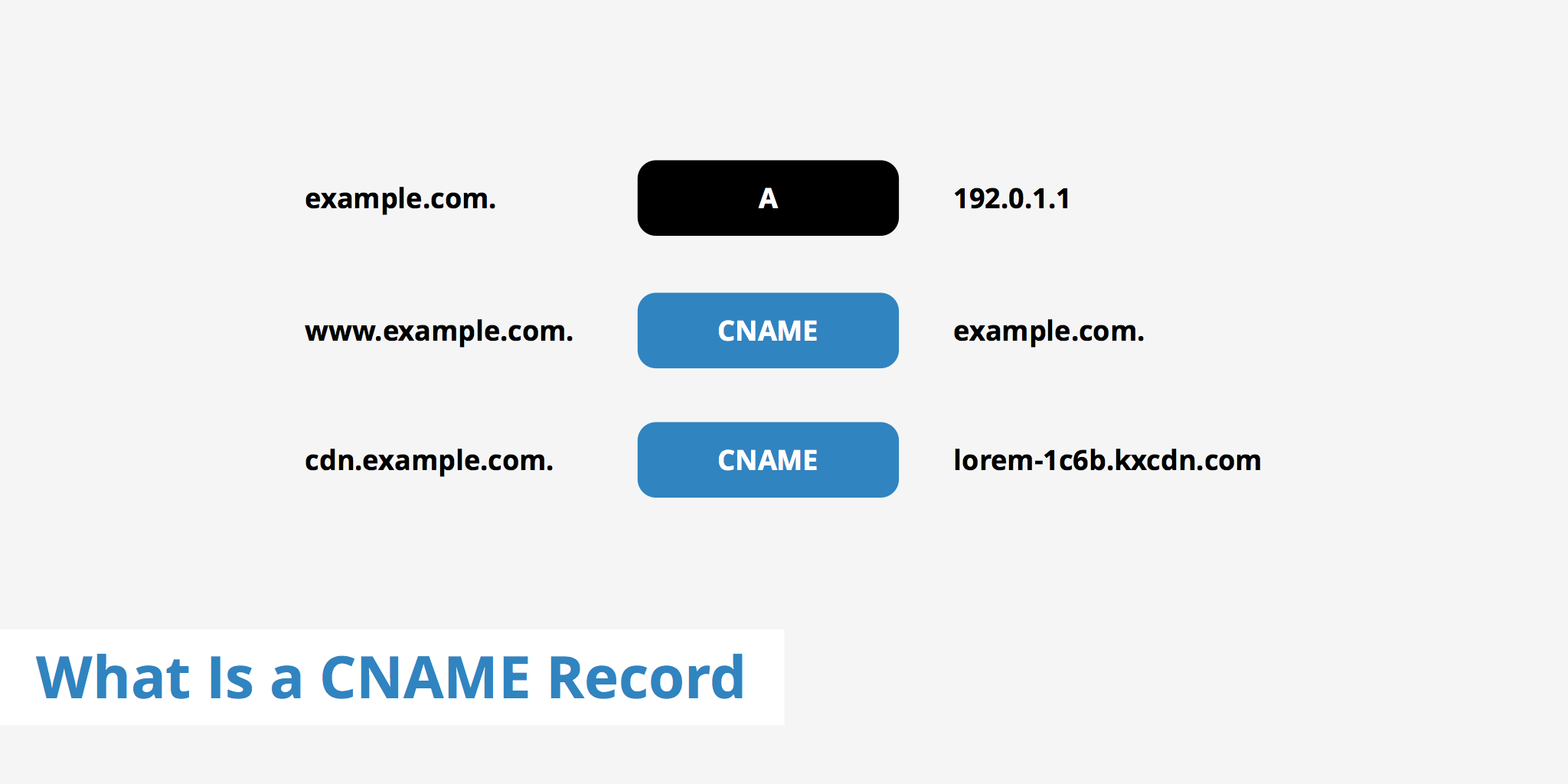
www is just an alias that leads back to the main domain.
MX Record – How Emails Find Your Mail Server:-
MX = Mail eXchange
This record tells the world:
“Send emails for this domain to these mail servers.”
Example:
example.com → mail.example.com
When someone sends you an email:
Their mail server checks the MX record.
It delivers the message to the specified mail server.
Beginner confusion: NS vs MX
NS: Who answers DNS questions for the domain
MX: Where emails for the domain should go
NS is about domain control.
MX is about email delivery.
Email Routing with MX:-
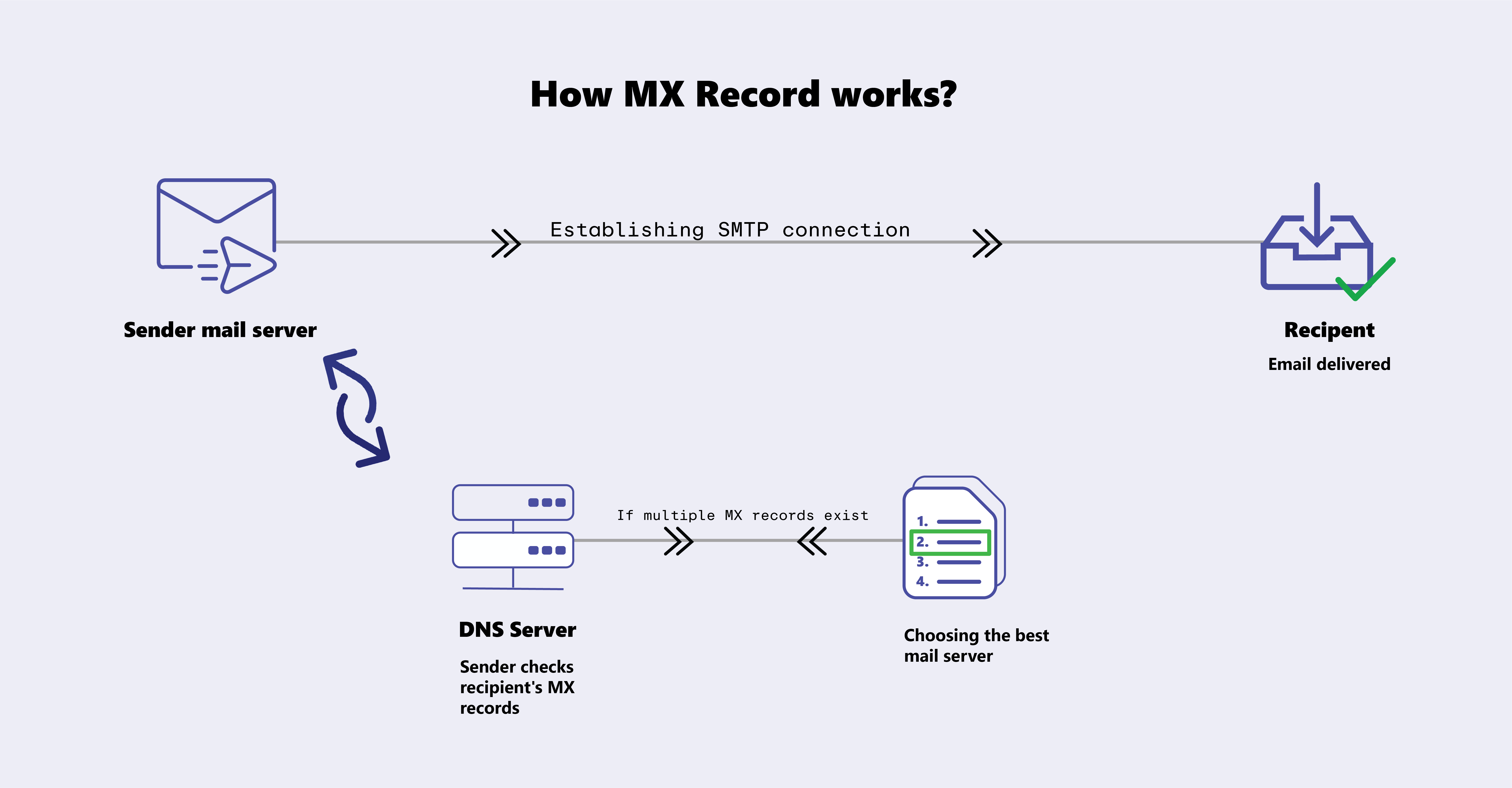

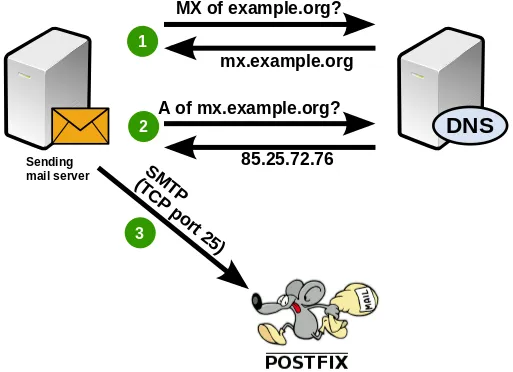
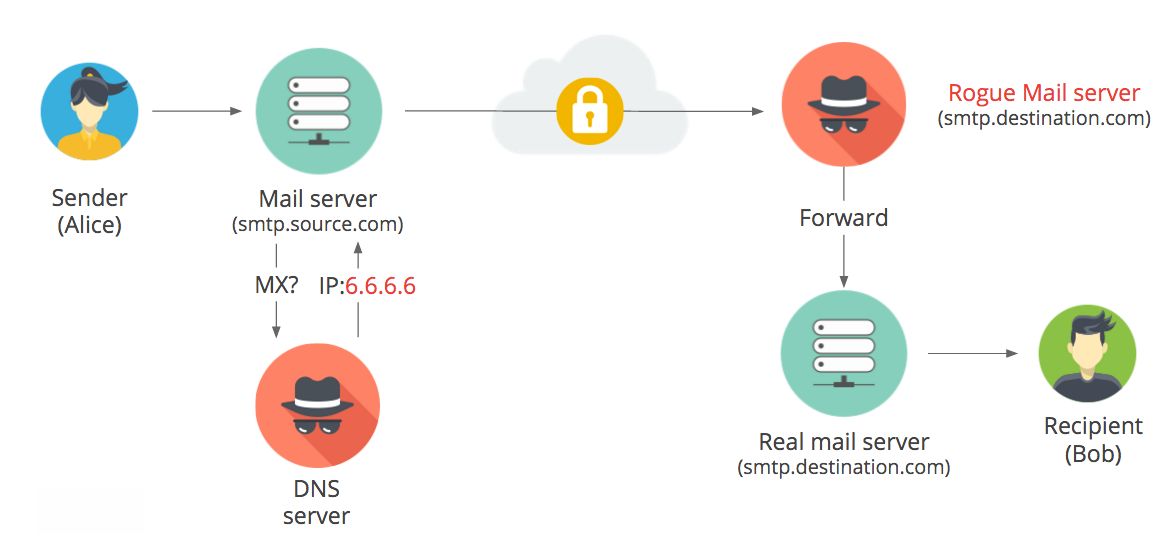
Email systems ask DNS first before delivering your message.
TXT Record – Extra Information and Verification:-
TXT records store plain text notes.
They’re used for:
Domain ownership verification
Email security (SPF, DKIM, etc.)
Other service checks
Example:
"google-site-verification=abc123"
It’s like pinning a signed note on your door saying
“Yes, I own this house.”
Simple DNS Hierarchy with NS Records:-
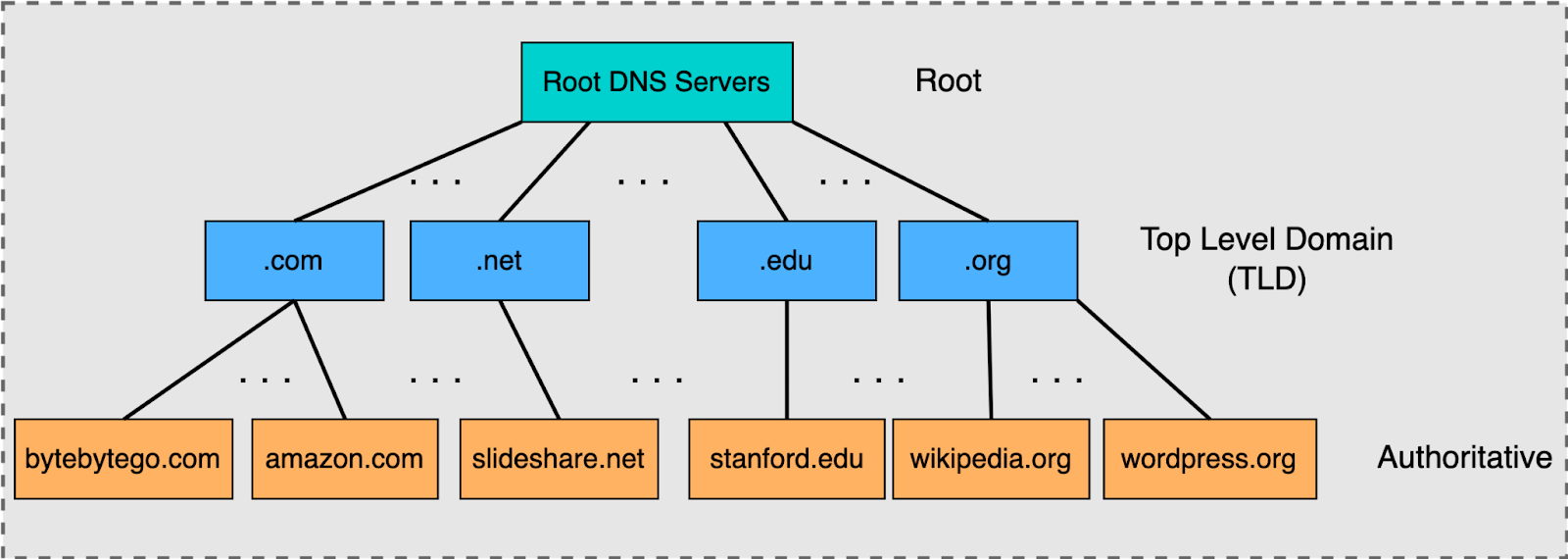
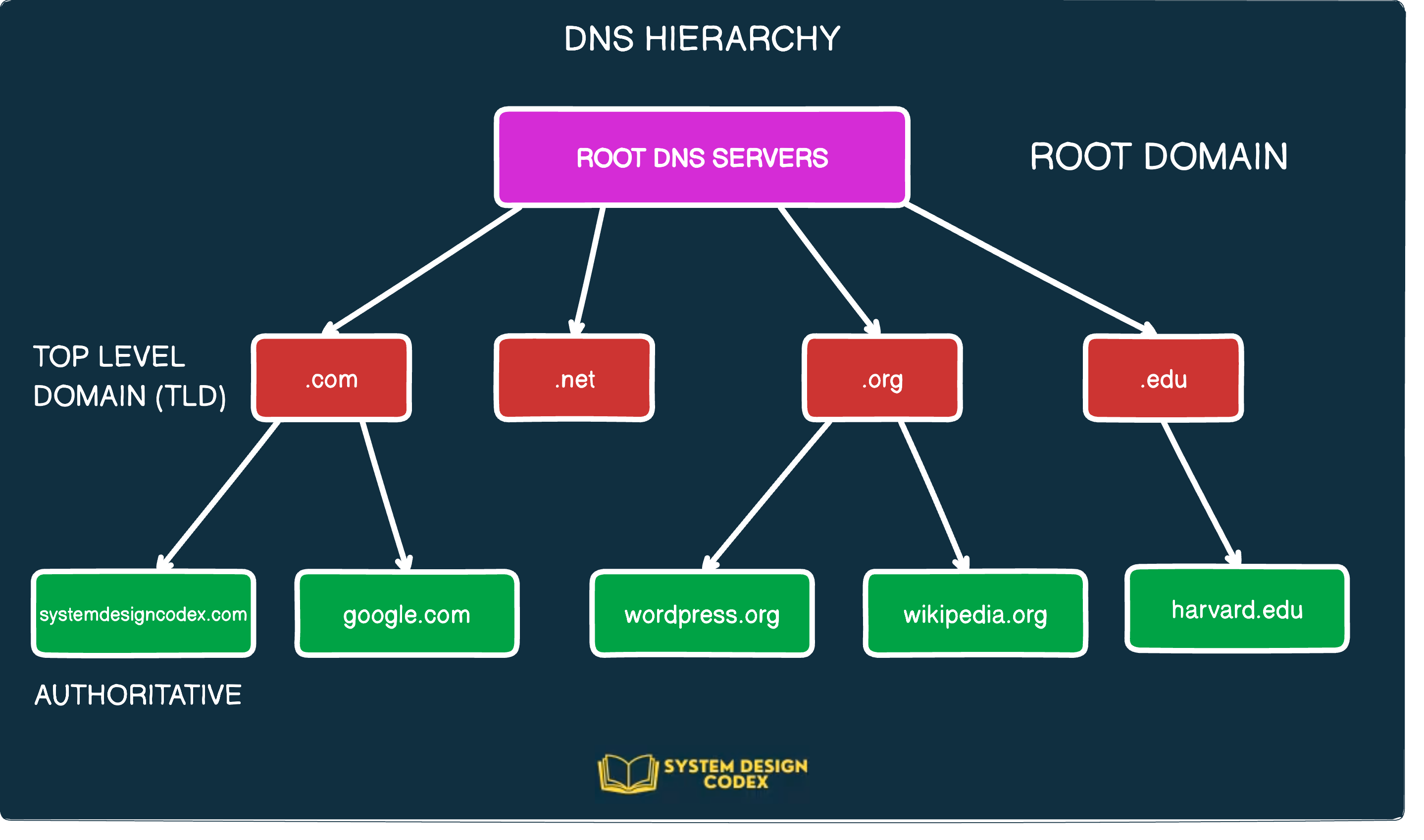

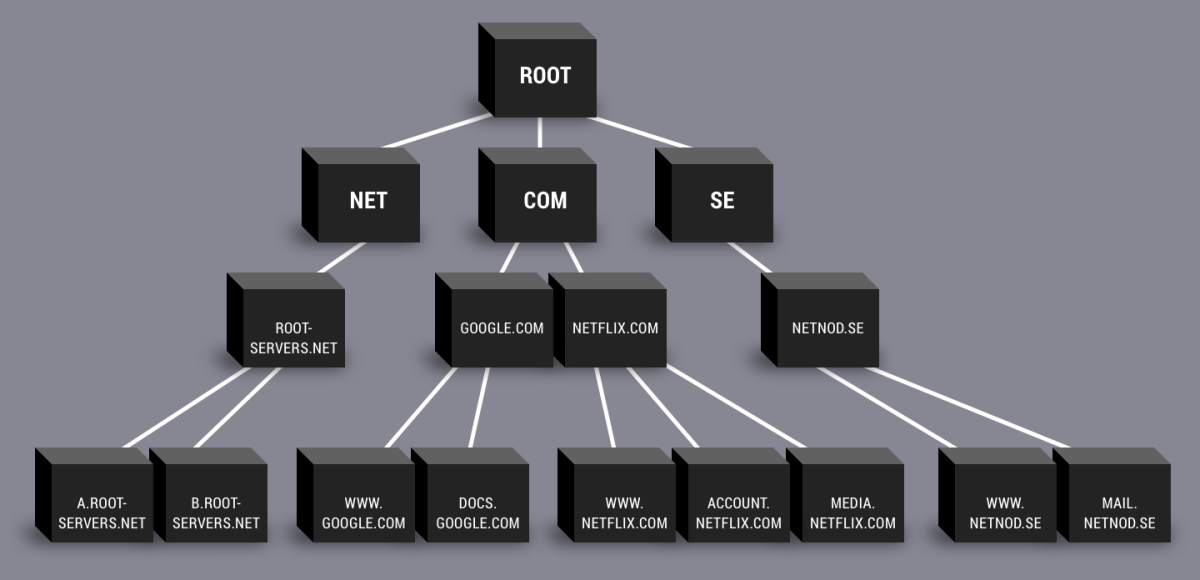
Root → TLD (.com) → Your domain’s name servers → Your records
NS records connect your domain into this chain.
How All Records Work Together for One Website:-
Imagine this setup:
NS → tells where DNS for the domain lives
A / AAAA → points the domain to the web server
CNAME → makes
wwwan alias of the main domainMX → sends emails to the mail server
TXT → proves ownership and adds email security
One small website might use all of them at the same time.
Complete Example Setup
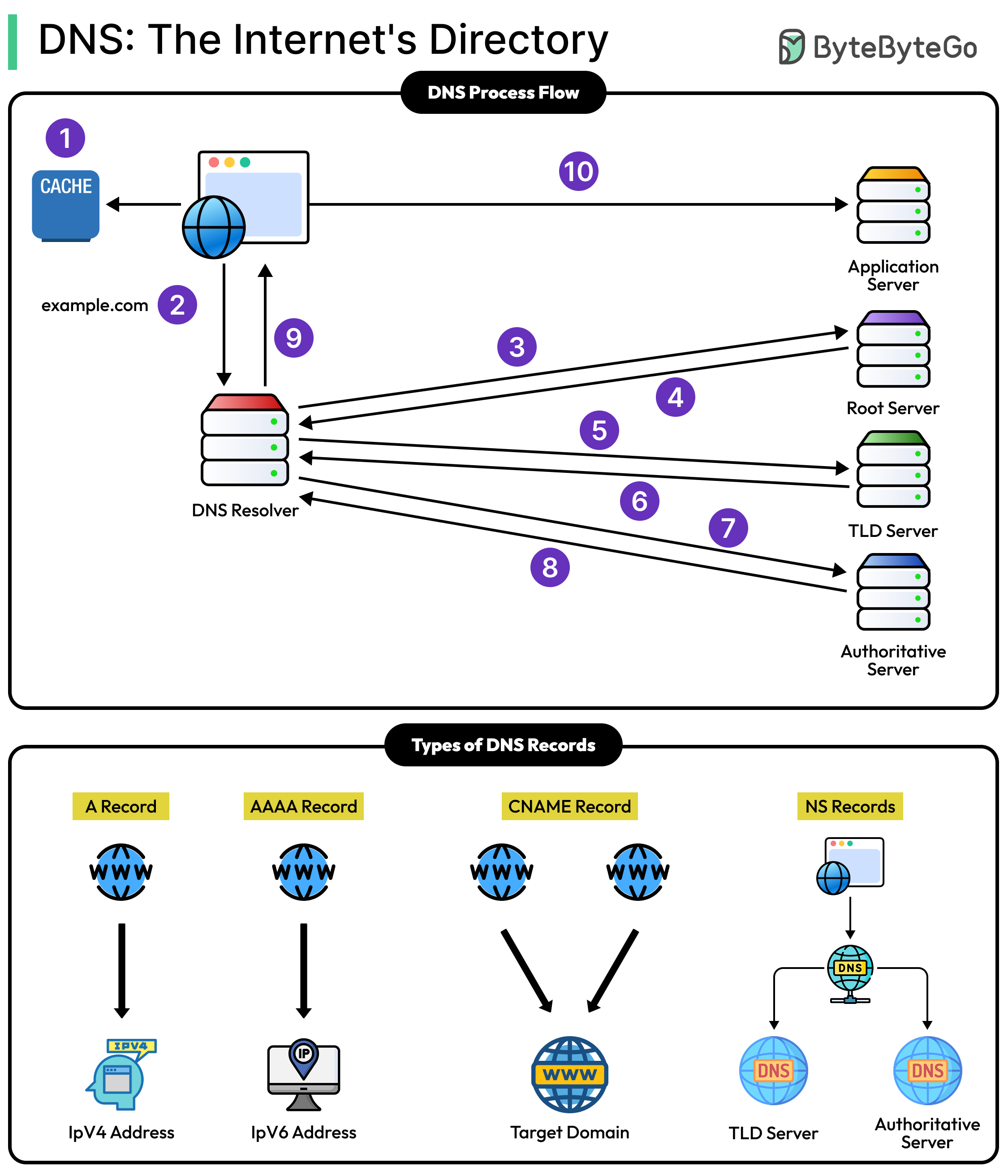

Browser uses A/AAAA to reach the website
Visitors using
wwware redirected via CNAMEEmails are routed using MX
DNS questions are answered by NS
Services verify ownership using TXT
All quietly working behind the scenes.
Final Thought:-
DNS is just a translator and directory service.
Each record type solves a simple, specific problem:
NS: Who is in charge?
A / AAAA: Where is the website?
CNAME: What other name should I use?
MX: Where should emails go?
TXT: How do I prove or share extra info?


