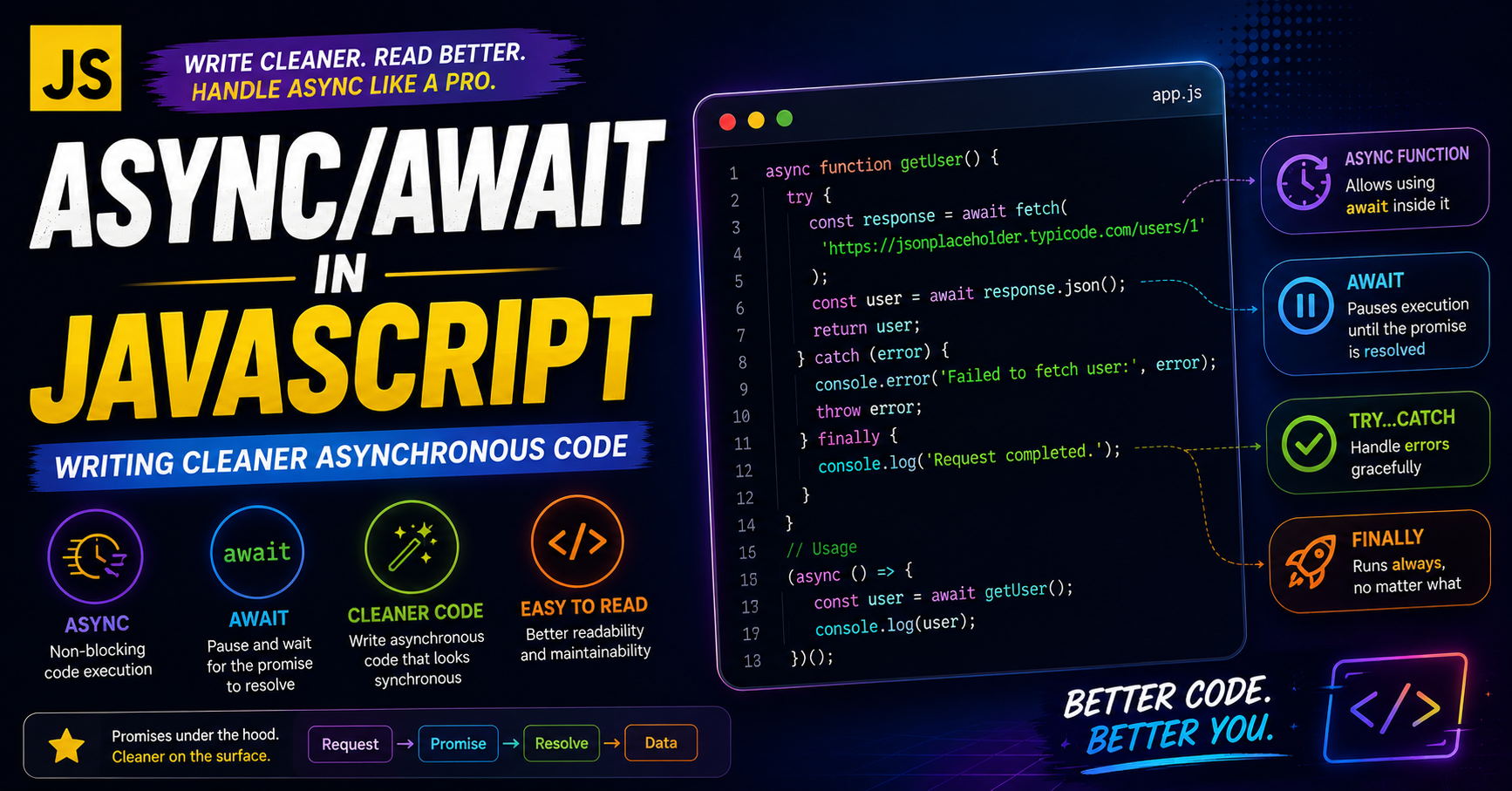
Async/Await in JavaScript: Writing Cleaner Asynchronous Code
Learn how async and await simplify asynchronous programming in JavaScript by making promise-based code cleaner, easier to read, and easier to debug.
Introduction
JavaScript is single-threaded, but it can still handle asynchronous operations like:
API requests
Database calls
File reading
Timers
User interactions
Before modern JavaScript, developers mainly used:
Callbacks
Promise chains
While promises improved asynchronous programming, deeply nested .then() chains could still become difficult to read.
To solve this problem, JavaScript introduced:
async / await
These keywords make asynchronous code look and behave more like synchronous code.
Why Async/Await Was Introduced
Before async/await, developers handled async operations using promises.
Example:
fetchData()
  .then(data => processData(data))
  .then(result => saveData(result))
  .catch(error => console.log(error));
While this works, large promise chains can become difficult to manage.
Problems included:
Reduced readability
Nested logic
Harder debugging
Complex error handling
Async/await was introduced as syntactic sugar over promises.
It does not replace promises internally.
Instead, it provides a cleaner way to write promise-based code.
What is an Async Function?
An async function is a function that automatically returns a promise.
Basic Syntax
async function greet() {

  return "Hello";
}
What Does It Return?
Even though we return a string, JavaScript wraps it inside a promise.
greet().then(data => console.log(data));
Output
Hello
Async Function Execution Flow
Async Function Starts
        ↓
Returns Promise
        ↓
Waits for await
        ↓
Resumes Execution
        ↓
Returns Final Result
Understanding the await Keyword
The await keyword pauses execution until a promise resolves.
It can only be used inside an async function.
Example
function fetchData() {

  return new Promise((resolve) => {

    setTimeout(() => {
      resolve("Data received");
    }, 2000);

  });
}
Now using async/await:
async function getData() {

  const result = await fetchData();

  console.log(result);
}

getData();
Output After 2 Seconds
Data received
How await Works Conceptually
When JavaScript reaches await:
It pauses that async function
Waits for the promise to resolve
Continues execution afterward
Meanwhile, the rest of JavaScript can continue running.
Promise vs Async/Await Flow
Promise Style
fetchData()
  .then(data => {
    return processData(data);
  })
  .then(result => {
    console.log(result);
  })
  .catch(error => {
    console.log(error);
  });
Async/Await Style
async function run() {

  try {

    const data = await fetchData();

    const result = await processData(data);

    console.log(result);

  } catch(error) {

    console.log(error);
  }
}
Why Async/Await Improves Readability
Async/await makes asynchronous code:
Cleaner
More readable
Easier to maintain
Easier to debug
The code looks almost like normal synchronous code.
Multiple await Statements
async function example() {

  const user = await getUser();

  const posts = await getPosts();

  console.log(user);
  console.log(posts);
}
Each operation waits for the previous one to finish.
Error Handling with Async/Await
One of the biggest advantages of async/await is cleaner error handling.
Using try...catch
async function loadData() {

  try {

    const result = await fetchData();

    console.log(result);

  } catch(error) {

    console.log("Something went wrong");

  }
}
Why This is Better
Compared to chained .catch() calls:
Errors are centralized
Code becomes cleaner
Debugging becomes easier
Real-World Example Using fetch()
async function getUsers() {

  try {

    const response = await fetch(
      "https://jsonplaceholder.typicode.com/users"
    );

    const data = await response.json();

    console.log(data);

  } catch(error) {

    console.log("Failed to fetch users");
  }
}

getUsers();
Important Points About await
await Only Works with Promises
await Promise.resolve("Hello");
await Pauses Only the Async Function
It does not block the entire JavaScript engine.
Other code can continue executing.
Async Functions Always Return Promises
Even if you return normal values.
Sequential vs Parallel Execution
Sequential Execution
const a = await firstTask();
const b = await secondTask();
Runs one after another.
Parallel Execution
const [a, b] = await Promise.all([
  firstTask(),
  secondTask()
]);
Runs simultaneously for better performance.
Common Interview Questions
Is async/await Different from Promises?
No.
Async/await is built on top of promises.
Can We Use await Outside Async Functions?
Normally no.
It works only inside async functions.
Does await Block JavaScript?
No.
It pauses only the current async function.
Best Practices
Use try...catch for Error Handling
Always handle possible promise failures.
Avoid Unnecessary await
Too many sequential awaits can slow performance.
Use Promise.all for Independent Tasks
Improves execution speed.
Keep Async Functions Small
Smaller functions are easier to debug and maintain.
Common Mistakes
Forgetting await
const data = fetchData();

console.log(data);
This prints a promise instead of resolved data.
Forgetting try...catch
Unhandled promise errors may crash applications.
Conclusion
Async/await made asynchronous JavaScript significantly cleaner and easier to understand.
It provides:
Better readability
Cleaner logic
Simpler error handling
Easier debugging
By understanding:
asyncawaitpromises
error handling
developers can write modern JavaScript applications that are more maintainable and professional.


